SAP Cloud Project Registration
Transforming a manual project workflow into a seamless, self-service experience for SAP Partners.
Enterprise Software
2019-2021
UX Designer
Context
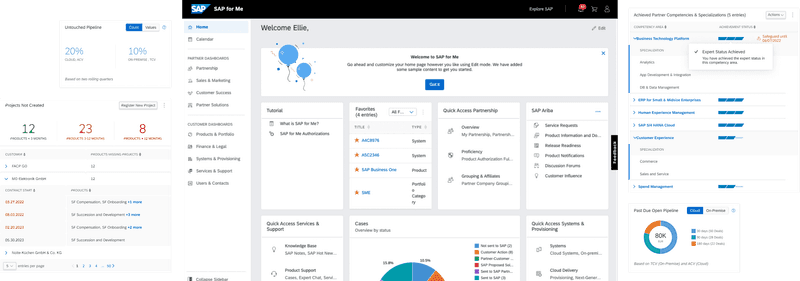
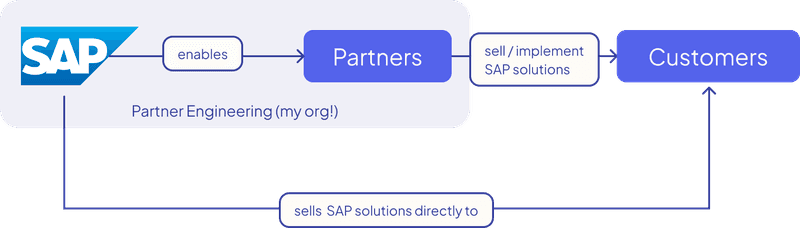
SAP Partners are key players in delivering and implementing SAP solutions for end customers. To support this, SAP offers the SAP for Me platform—a central hub where partners manage their portfolio, services, and customer projects.
One crucial part of this process is Customer Cloud Project Registration—a step where Partners declare their planned implementation projects with customers. Surprisingly, this high-impact task was still being handled manually through email threads.
The manual process caused delays, errors, and low visibility. As part of the Partner Engineering team, I was tasked with bringing this workflow into the platform—giving partners and internal teams a faster, more consistent way to manage projects.
Results
By launching a fully integrated wizard for project registration within SAP for Me, we delivered:
Faster and more reliable project registration
A cleaner data pipeline for SAP internal teams
Greater autonomy for partners
A significant reduction in support tickets related to registration
A 7% improvement in user satisfaction across SAP for Me features I worked on
30%↓
Support Reduction: ↓30%
+7%↑
User Satisfaction
Halved
Registration Time

Challenges
We faced three core challenges in the design:
1. Manual communication bottlenecks
Email-based registration was error-prone and slow—even minor changes required a full back-and-forth.
2. Complex wave-product mapping logic
Partners needed to plan projects in “waves” and assign products to each wave, but each product could only be in one wave. A typical form or table couldn’t handle this well.
3. Dependency handling across steps
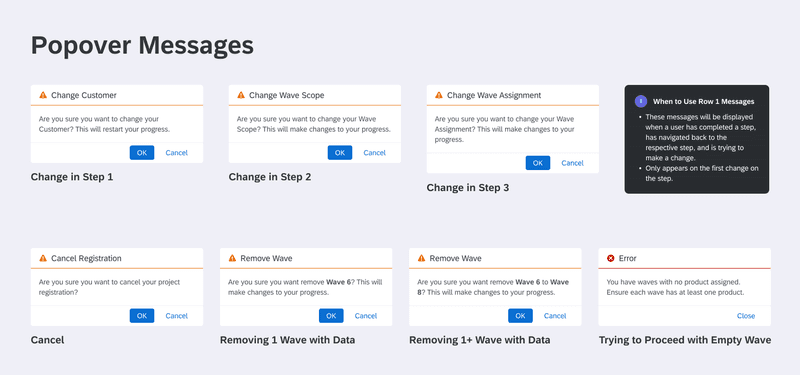
Changing a selection early in the process could invalidate later inputs. For example, changing the customer in Step 1 could affect available products in Step 2.
My Role
I was the sole UX designer for this 3-month initiative. I owned the entire UX process, including:
Partner workflow research
Interaction model exploration
Design and prototyping in Figma
UX validation with stakeholders
Annotated specs for dev handoff
Edge case planning and QA support
Design system alignment (SAP Fiori)
The Team
6 developers (frontend and backend)
1 product manager
1 product owner
1 scrum master
Stakeholders from SAP Partner Operations
UXRB reviewers and SAP for Me platform leads
We worked across time zones using agile sprints, async Slack reviews, and live design check-ins.
Roadmap
We scoped and prioritized the project around three main pillars:
Focus AreaGoalProject InitiationLet partners register projects easily from within SAP for MeProduct & Wave PlanningHelp users assign products to multi-phase delivery wavesDependency HandlingBuild error-proofing logic across steps for better user confidence
Process
Step 1: Exploration
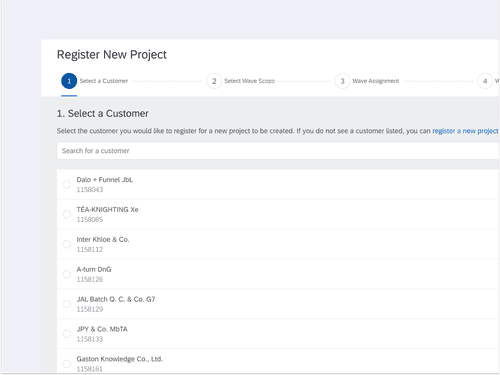
We tested multiple approaches: forms, modals, and ultimately, a wizard pattern. The wizard offered structure, a sense of progress, and better support for edge cases.
Step 2: Solving for Complexity
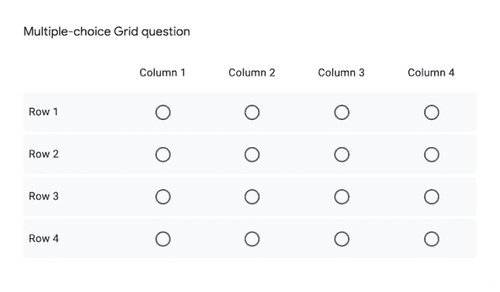
Wave scheduling was the biggest design challenge. We needed to visually assign products to project waves without duplication or error.
Step 3: Handling Edge Cases
To address cross-step dependencies, I implemented contextual popover warnings. These informed users of the impact of their changes—without blocking progress or resetting the flow.
Step 4: Handoff
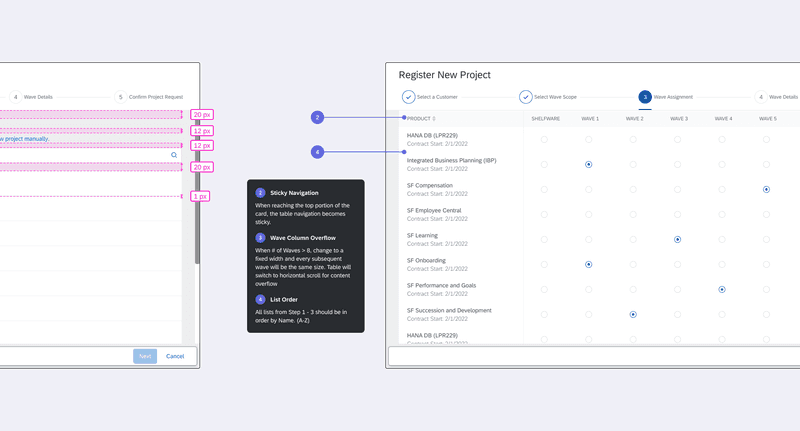
I provided annotated Figma specs detailing scroll behavior, sticky elements, validation logic, and overflow handling—ensuring the final build met the intended experience.
Key Features
1. Multi-Step Registration Wizard
Guided partners through project creation, customer selection, product planning, and review—step by step.
2. Wave Assignment Table
Allowed multiple waves and unique product mapping in a clear, visual matrix.
3. Smart Popover Messaging
Helped users avoid critical mistakes without disrupting flow.
4. On-Platform Registration
Moved the entire process into SAP for Me—no more email dependencies.
Results
Launched in Q2 2023 to all SAP Partners
Reduced registration-related support tickets across internal teams
Enabled partners to act faster and more independently
Improved overall data consistency
Strengthened SAP for Me as a trusted partner tool
Helped influence similar patterns for other multi-step tasks on the platform
“The new registration flow gave our partners the clarity and control they needed. We saw a clear drop in support tickets and faster movement from project planning to go-live.”

Head of technology incubation
Steven Williamson
Conclusion
What started as a fix for an inefficient workflow became a strategic UX win. By introducing structure, flexibility, and in-context guidance, we turned a pain point into a smooth, scalable partner experience.
This project reminded me that enterprise UX isn’t about making things flashy—it’s about making things work, clearly and confidently.
