Console as a Stepping Stone to Programmatic Access
Reimagining the Oracle Cloud Infrastructure (OCI) Console as a launchpad for automation—helping users transition from manual workflows to code with confidence, context, and clarity.
Cloud Infrastructure
2025 - Present
Product Designer
Context
For many users, the OCI Console is their first interaction with Oracle Cloud. It offers a visual, guided way to spin up infrastructure. But as those users grow—adopting more complex deployments or seeking automation—they hit a ceiling. The problem isn’t that the Console lacks features. The problem is that it wasn’t designed to bridge the gap between click-based workflows and code-based automation using tools like the OCI CLI, Terraform, or SDKs. This project repositions the Console from being a static GUI to becoming a gateway to programmatic access—empowering users to export what they’ve built, replicate it at scale, and gain the confidence to automate.
Results (In Progress)
Although still in an incubation phase, the project has already:
Identified three core UX opportunity areas from discovery
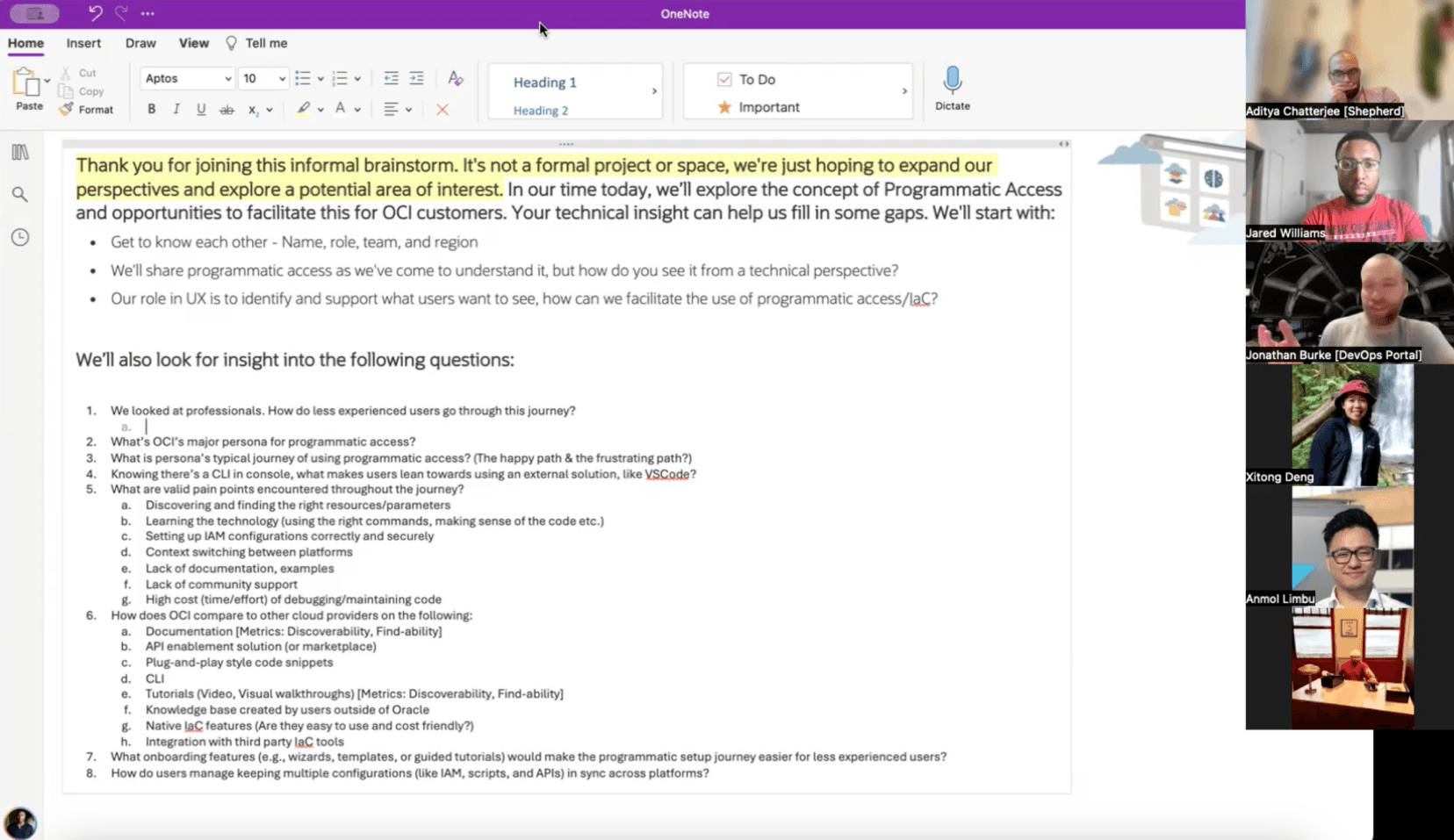
Initiated co-design workshops with Console PMs and DevOps users
Prototyped concepts like Export as Code, IaC starter kits, and Learn Mode
+25%↑
Rise in first-time CLI/IaC usage by Console-first users
-40%↓
Reduction in time to find relevant specs and examples
↑+35%
Growth in use of guided IaC starter templates
Challenges
Low API discoverability: Even internal engineers had difficulty finding OCI API specs, CLI commands, and reusable patterns
Documentation disconnect: Users trusted peers, forums, and Slack more than official docs
Confidence barrier: Junior engineers stayed in the Console longer due to uncertainty, while advanced users had already moved on
Missed moments: The Console lacked timely, contextual nudges to help users shift from visual to programmatic tools
My Role
As a Product Designer, I led the design strategy, research synthesis, and early concept development for this initiative. My responsibilities included:
Conducting stakeholder interviews with internal teams and DevOps engineers
Synthesizing research from user feedback, telemetry, and internal usage patterns
Mapping Console-to-code transition journeys
Prototyping design interventions like "Export as Code" and “Learn Mode”
Leading co-creation workshops with Console PMs, developers, and UX
What We Uncovered
1. API Discoverability Is Poor — Even for Experts
“You can’t find the specs easily. I had to click through five pages to get the load balancer API.”
Users, including internal teams, reported deep friction in finding the correct API or CLI path for the task at hand.
Design Implications:
Display API specs inline in relevant Console views
Show common CLI examples, not exhaustive flags
Create a developer-friendly search experience
2. Developers Trust Peers Over Documentation
Even experienced users preferred crowdsourced guidance—code snippets, walkthroughs, or “recipes” from forums—over official help.
Design Implications:
Highlight community-validated patterns and use cases
Embed code snippets and walkthroughs inside the Console
Link to forums and discussions where relevant
3. Console Builds Confidence—Then Becomes a Ceiling
For newer users, the Console is essential. But it lacks pathways into CLI or Infrastructure as Code (IaC) — resulting in friction at the moment users are ready to scale.
Design Implications:
Treat Console as a launchpad to scripting and automation
Offer “Export as Code” patterns during resource creation
Nudge users when repetitive manual actions occur
Key Concepts in Exploration
1. Export as Code
Create a VM in the Console → Copy the CLI or Terraform equivalent.
Users can instantly access the code version of the resource they just created — inline, not buried in documentation. This supports learning-by-doing and builds repeatability.
2. IaC Starter Kits
Spin up a multi-tier web app with autoscaling and pre-configured variables.
Pre-built templates with GitHub integration help users move from manual deployment to reusable patterns—paired with IAM guidance and Terraform-ready code.
3. Just-in-Time Nudges
“You’ve created this manually three times — want to try a script next?”
Contextual hints appear when user behavior indicates readiness for automation. These nudges are opt-in, light-touch, and focused on opportunity, not friction.
4. Learn Mode (Experimental)
An optional toggle that reveals definitions, examples, and interactive CLI/IaC sandboxes for beginners. Designed to reduce the learning curve, not the flexibility.
What’s Next
We’re currently preparing for Round 2 stakeholder interviews, targeting:
Console PMs: To align on feasibility and roadmap constraints
DevOps & SRE teams: To understand automation habits, scaling needs, and cross-platform workflows
These insights will inform:
Storyboarding exercises for Console-to-Code pathways
Prototypes for features like "API Spec Visibility"
Iterative usability testing of Export and Learn Mode patterns
What Success Looks Like
API Discoverability: Console UI surfaces relevant specs and usage
User Confidence: More users transition from GUI to CLI/IaC workflows
Console-CLI Continuity: Console workflows act as scaffolding, not silos
Community Signals: Reusable patterns and guides grow in visibility and reuse
Conclusion
This project is about more than adding export buttons or extra docs. It’s about designing a path — from click to code — that reduces fear, builds fluency, and empowers users to scale on their terms.
By treating the Console as a stepping stone instead of a dead-end, we’re making automation accessible, discoverable, and actionable—at just the right time, for just the right user.
“We’re not trying to turn everyone into DevOps engineers overnight — we’re giving them the tools to grow into it when they’re ready.”

Aaron Baker
Head of UX, OCI