OCI Design System Toolkit & Component Library: Unifying Design Across Oracle Cloud Infrastructure
A centralized toolkit and reusable component library empowering OCI teams to design and build faster, more consistently, and with stronger alignment between design and engineering.
Cloud Infrastructure
2023 - 2025
Design Systems Lead
Introduction
Design systems can be both a superpower and a potential trap. When built without the right timing or purpose, they can quickly turn into complex artefacts that add little value.
At OCI, we already had Oracle’s HgDs design library. On the surface, it appeared that design was well managed. However, as part of the newly formed Redwood design team, I saw the gaps first-hand. This led to the creation of the OCI Redwood Design System, an evolution that replaced HgDs and scaled more effectively across our growing product ecosystem.
Three shifts made this transformation essential:
The current HgDs design library did not fully address OCI’s specific UI needs, and was becoming outdated.
Designers and engineers were working in silos, re-creating similar components and diverging in style.
Inconsistencies were increasing, with redundant components and unclear guidance slowing teams down.



Designing for Clarity, Not Noise
While evolving from HgDs to the OCI Redwood Design System, it was tempting to lean heavily into new visual patterns and branding. But we quickly realised that over-branding every element would create unnecessary visual noise in complex enterprise interfaces.
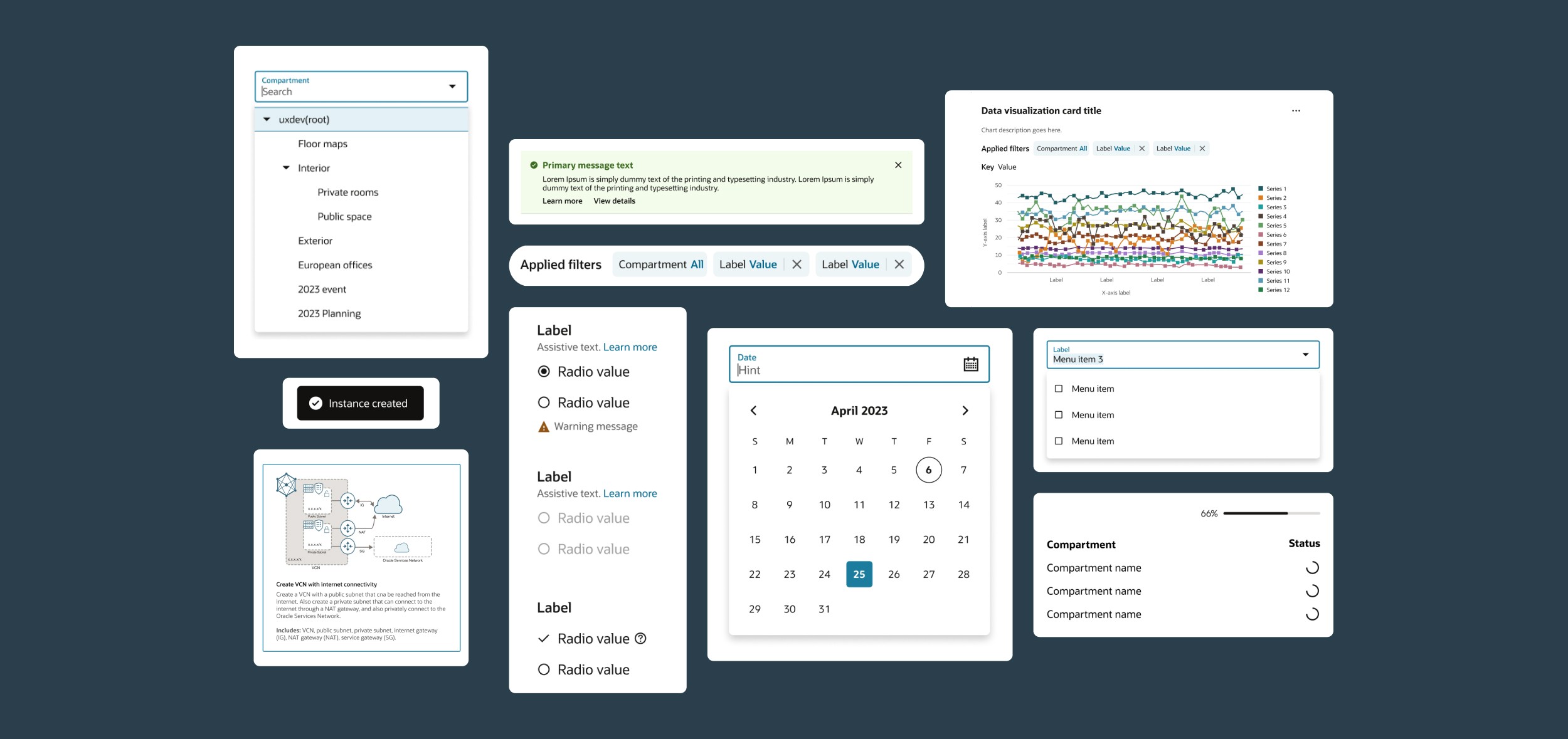
We agreed that the best way for the brand to permeate OCI products was through subtlety. High-frequency UI elements like inputs, buttons, labels, and tooltips were intentionally kept neutral and functional. This allowed them to blend into the background, giving prominence to more expressive elements such as data visualisations, illustrations, and key interaction states.
This decision was rooted in empathy for our users, who often work in high-stakes, high-focus environments where clarity matters more than decoration. By keeping core components understated, we ensured that the system supported user focus, while still allowing brand expression to appear in the right places where it adds value and not distraction.
Building guardrails that fostered creativity
With the OCI Redwood Design System structure in place, I focused on embedding documentation directly into the Figma component files so it was always accessible in context. This kept guidance current and part of the everyday design workflow. Documentation was provided at two levels:
Specs - Detailed breakdowns of a component’s states and behaviours
Guidelines - Clear advice on when to use a component, and when not to
This clarity gave designers the confidence to move quickly without having to search through external files.
At the same time, we established guardrails to keep the system unified while still allowing for creative problem-solving. The principle was simple: reuse existing components nine times out of ten. The remaining one time required strong justification, given the cost of creating and maintaining new components. Regular reviews kept the library lean, while flexible properties and variants ensured components could adapt to a variety of use cases.
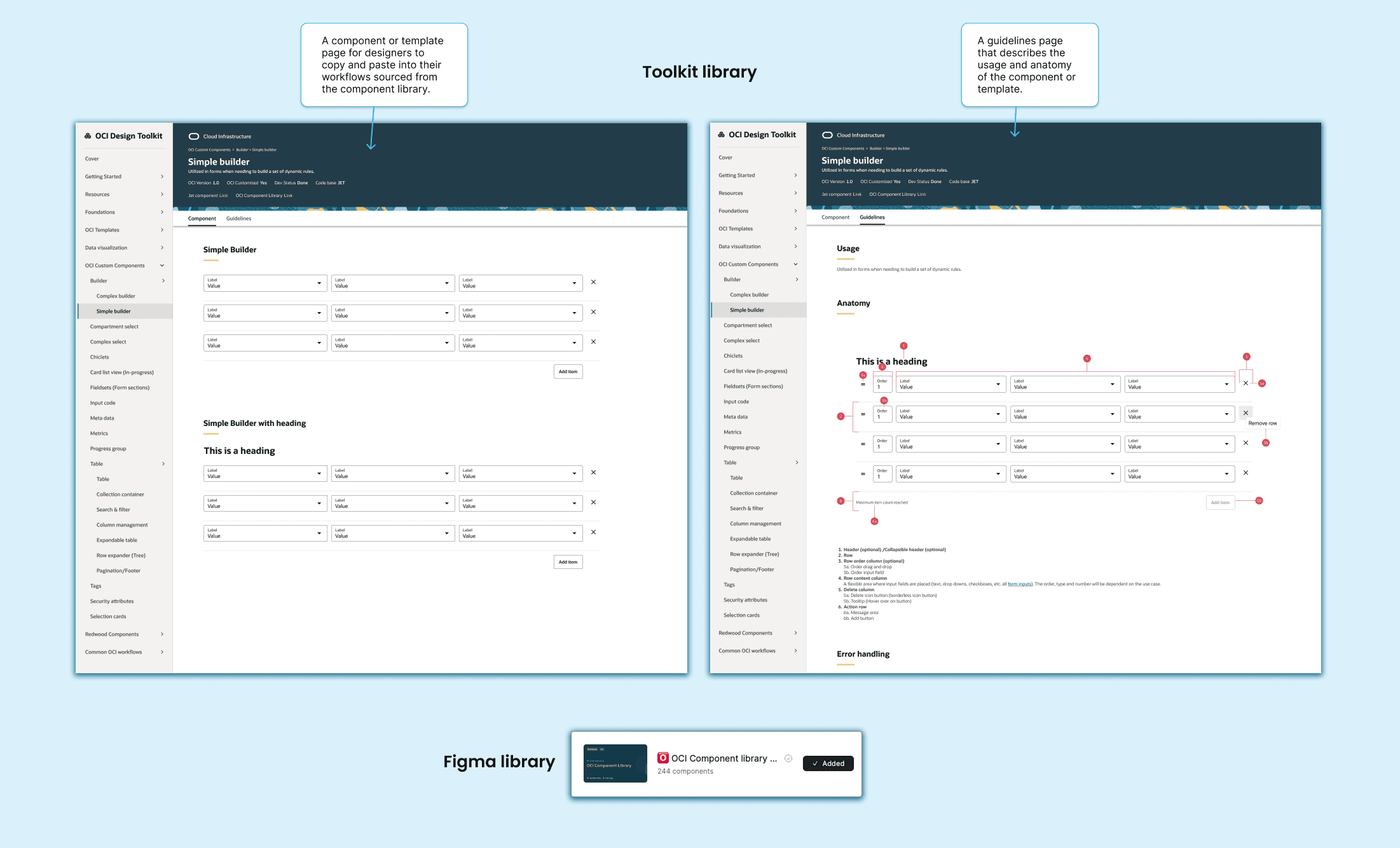
Weekly design critiques and the supporting guidance (as shown in the attached Redwood Design System Toolkit Library image) helped the team stay aligned on when to follow the system and when it made sense to bend the rules. This balance of structure and flexibility kept designs consistent, scalable, and efficient to deliver.
A turning point for typography
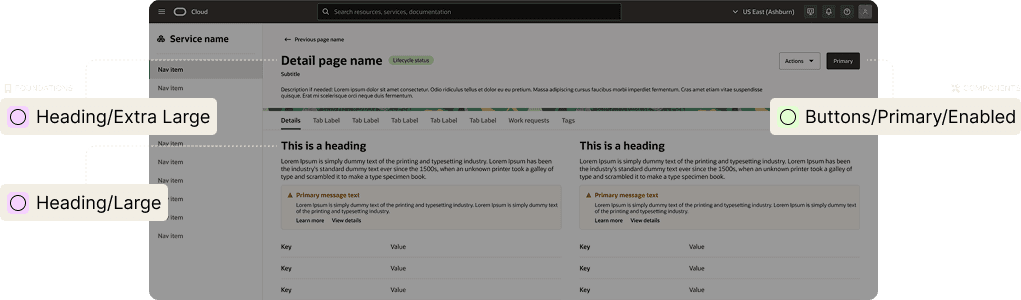
One of the big decisions at the system level was whether to use a fully responsive type scale that adjusted sizes across breakpoints, or to define type size at the component level. I looked to other established design systems for guidance, but there was no clear consensus. To find the best path forward, I audited how typography was currently being applied across OCI.
The audit revealed that type sizes often changed across breakpoints, but the way they resized was inconsistent and usually tied to the component they were in. That led us to choose the flexibility of defining type size at the component level. To keep things consistent, we set a codified “base” size anchored to the most common style used for body text. Designers could then scale up or down from that base depending on the hierarchy and importance of the content.
Visually, the move from HgDs to the OCI Redwood system also meant rethinking font usage. The new system introduced two core fonts: Oracle Sans and Georgia. Oracle Sans served as the functional workhorse, highly legible, modern, and designed to fade into the background so users could focus on the task at hand. Georgia, with its more traditional and expressive character, was reserved for moments where personality and emphasis were needed. This pairing allowed the product to maintain clarity in high-focus enterprise contexts while still reflecting Oracle’s brand voice in the right places.
Code as the single source of truth
A design system only works when components stay in sync with their coded counterparts. Since code is ultimately how customers experience the product, any disconnect between design and development risks undermining the system’s success.
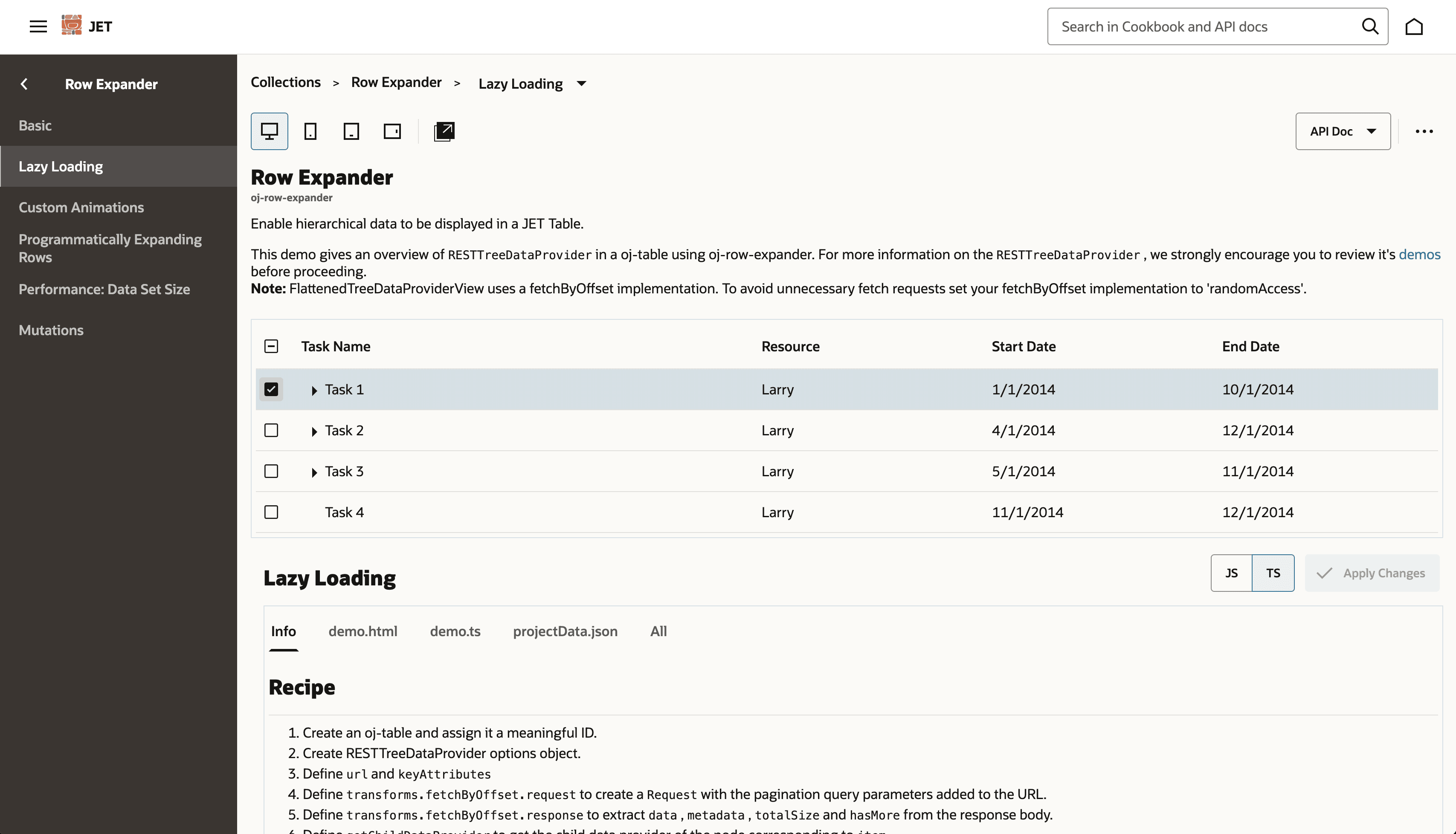
To bridge this gap, we introduced core design tokens mapped directly to key primitives such as typography, colour, and container sizes. These tokens created a shared language between designers and developers, ensuring updates in one space were accurately reflected in the other. We also worked closely with the JET developer cookbook, the source library for coded components, to validate feasibility, align with technical constraints, and ensure every component we designed could be implemented at scale.
Several months after we introduced this model, Figma released design system tools that mirrored our approach, with primitives as the source layer and semantic tokens as the theme layer. This confirmed that we were moving in the right direction and helped align OCI’s design and development workflows around a unified, scalable structure.
Building for Speed and Consistency
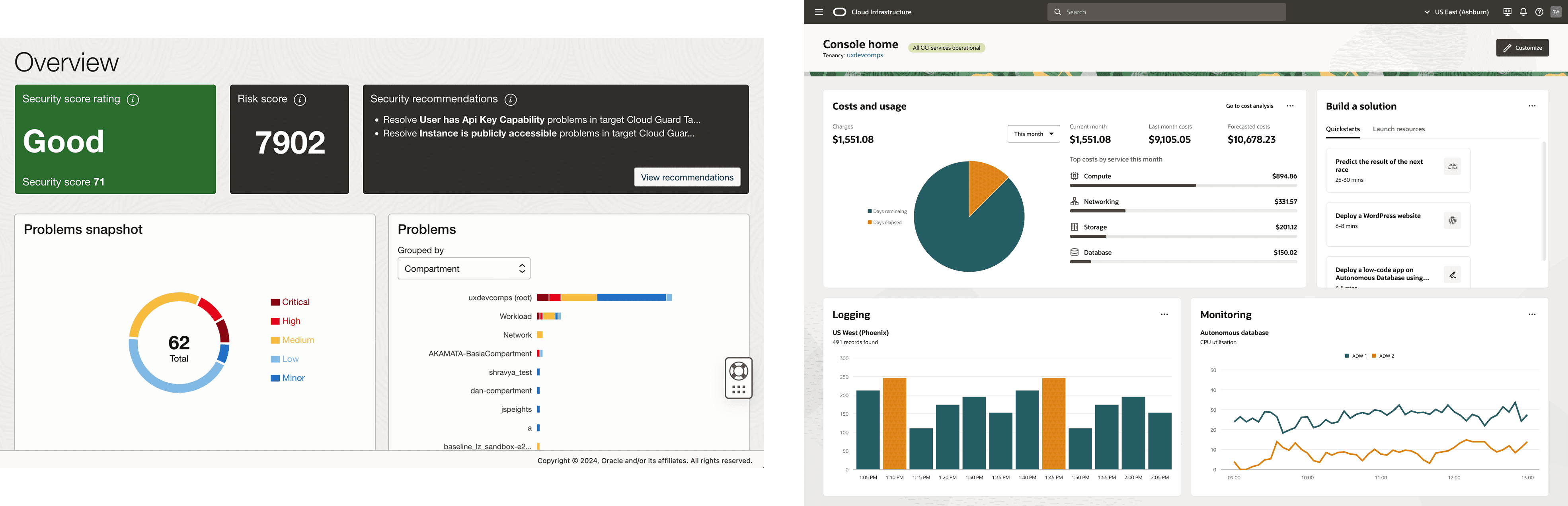
The strength of the OCI Design Toolkit was in the everyday templates designers used most, including the List Page, Details Page, Dashboard, and Create Wizard flows. These formed the backbone of most OCI product experiences, so getting them right was essential.
The first priority was content structure. Each template had a clear, consistent layout that balanced flexibility with best practice. I documented where to place primary actions, how to structure navigation and filters, and how to display contextual help. This ensured a List Page or Dashboard from one team would feel familiar to users of another product.
Accessibility and discoverability were built in from the start. Templates included guidance on hit areas, keyboard navigation, and text hierarchy, and were tagged and categorised so designers could quickly locate and reuse them.
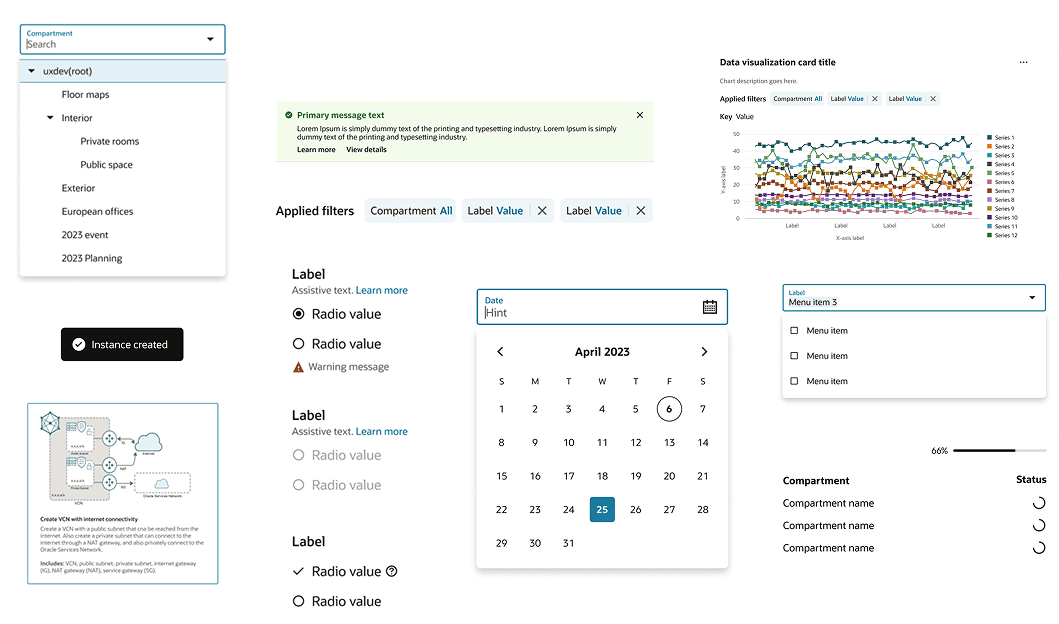
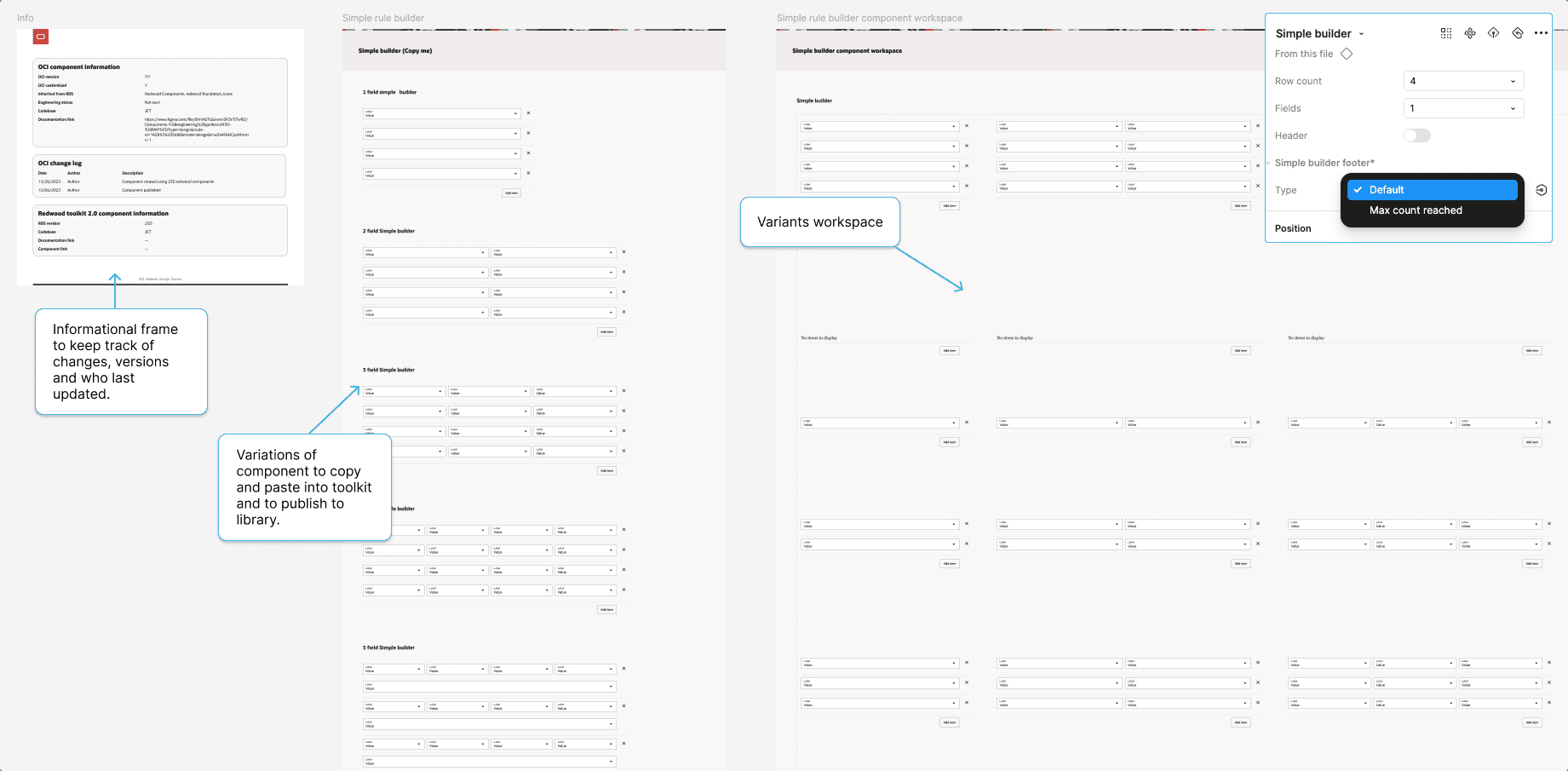
As part of these improvements, we also created reusable variants and components (as shown in the attached image), making it faster and more efficient for teams to design and build prototypes. By refining alignment, spacing, and component groupings, adding example data, and including progressive disclosure and error handling for Create Wizards, the toolkit became more than a static library — it became a set of ready-to-use building blocks that sped up delivery while keeping experiences consistent.
The system needs to be self-sustaining
We knew our dedicated time to build the OCI Redwood Design System was limited. “Go far, go together” became a guiding principle, which meant involving the designers and engineers who would rely on the system from the very beginning. Their early feedback shaped what we built, and the sense of shared ownership that came from their involvement was key to ensuring the system could thrive long after the initial rollout.
Other ways I helped make the system sustainable included:


A healthy system starts with good hygiene
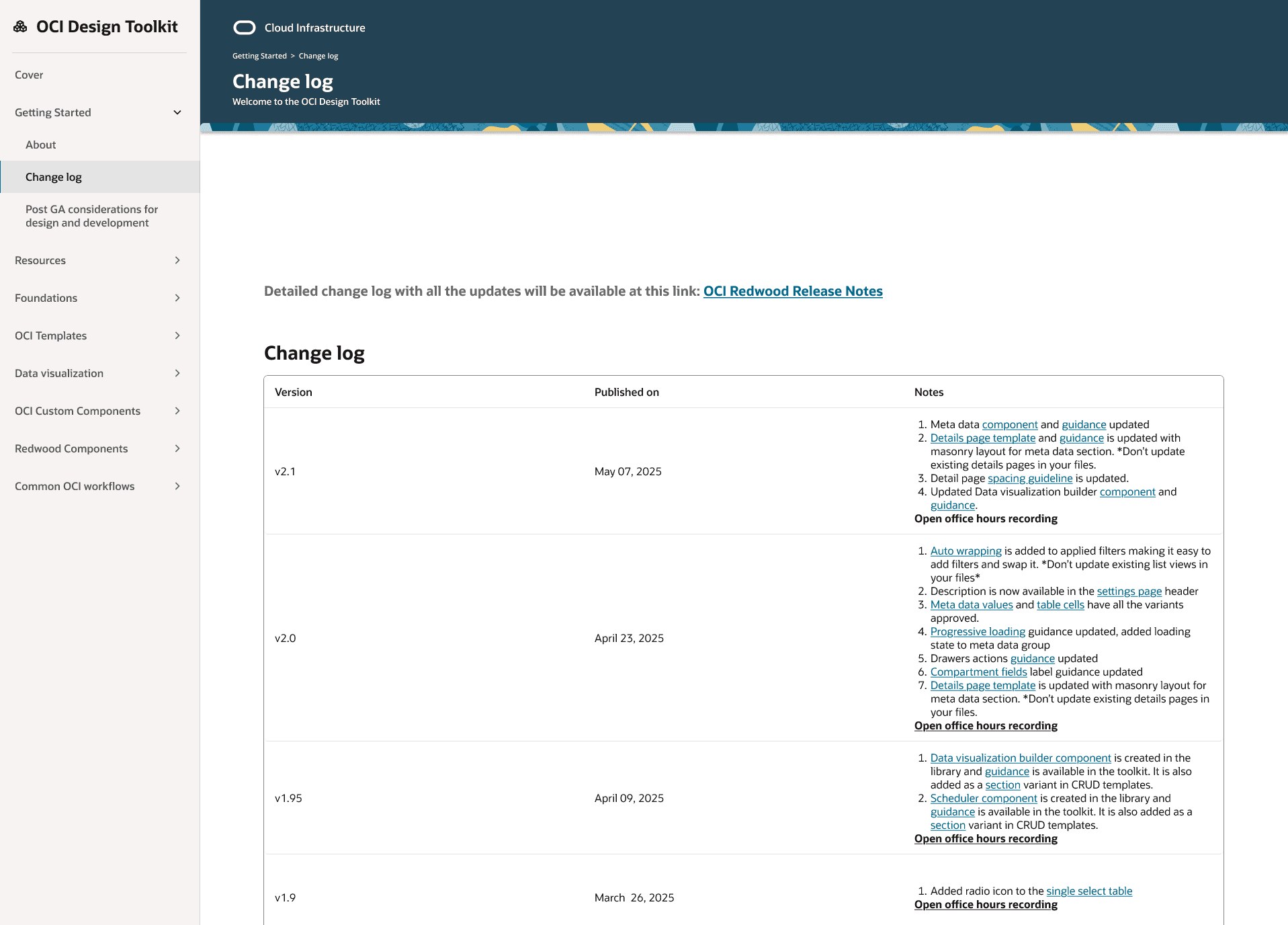
To keep the system clean and reliable over time, we introduced a design library changelog (as shown in the attached image). This log tracked every update to the Redwood design library, including new components, enhancements, and fixes. It served as a single reference point for both designers and engineers, helping maintain consistency, avoid duplication, and ensure changes were transparent across teams.
Coupled with the standardised Figma file templates, project organisation, and embedded documentation, the changelog became a key tool in sustaining design system hygiene at scale.
Learnings
Too much flexibility can backfire
Figma variables were both a blessing and a curse. They gave us the scaffolding to build a more advanced system, but that same flexibility became a trap. Our biggest challenge came from shipping all 130 core style tokens at the start. If we had started with semantic tokens, we could have reduced the choices for designers by about 80 percent. More choice meant more room for inconsistency and mismatched styles. We eventually replaced the core set with semantic tokens, but introducing them from the beginning would have prevented the issue entirely.
Start small, ship sooner
In hindsight, we should have released a smaller set of components and tokens earlier. A shorter feedback loop, working closely with one or two product teams, would have allowed us to refine and validate our approach before scaling. This would have made the rollout smoother and built stronger early adoption within the design and engineering community.